
myColorado
State of Colorado - Governor's Office of ITBusiness
4.25.56K Reviews
- Version
- 13.3.1
- Installs
- 500.00K
- Age Rating
- Everyone
Screenshots
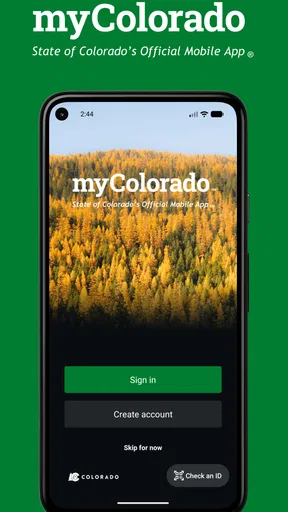
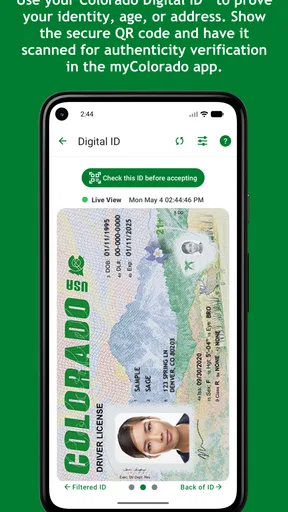
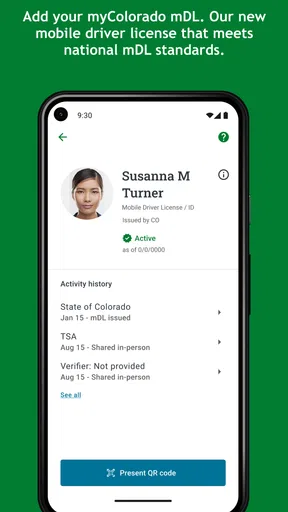
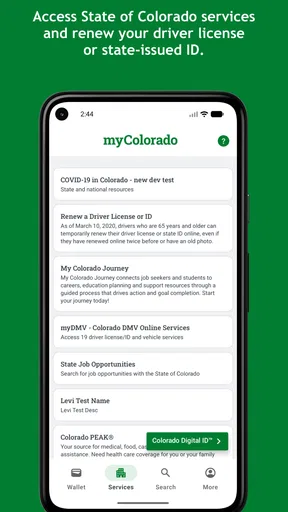
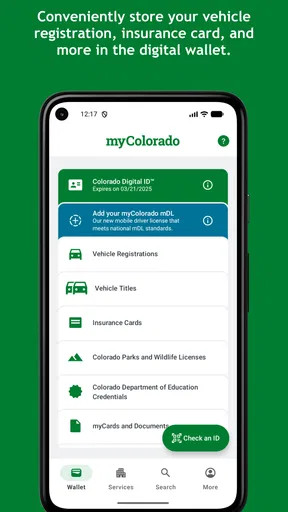
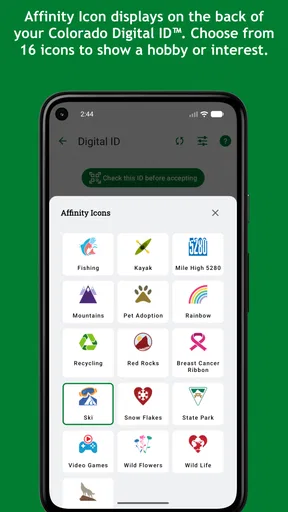
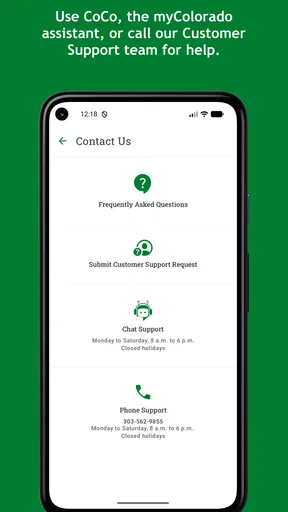
Our Review of myColorado
 Analysis by Appyee
When I need to deal with Colorado services, I would rather have one official starting point than search through unrelated websites and hope I have found the right page. That is the practical appeal of myColorado, the free business app from the State of Colorado - Governor's Office of IT. It is aimed at everyday state-service tasks, not entertainment, and its value comes from putting official information and interactions closer to hand on a phone.
I approached it as the kind of app I might open while commuting, preparing paperwork, or trying to solve a state-related task away from a computer. My overall impression is positive, but with an important qualification: this is most useful when you already know which Colorado service you need. It can simplify access, yet it does not remove the underlying complexity of government processes.
What the app is really useful for
The first thing to understand is that myColorado is not a general productivity suite in the way a notes app, calendar, or document manager is. Its focus is Colorado’s official mobile services. That makes it a sensible tool for residents who regularly interact with state agencies, keep state-related information on their phone, or want a more direct route to official resources.
The developer, State of Colorado - Governor's Office of IT, gives the app a clear identity that matters here. I am not treating it as an unofficial directory assembled by a third party. For state business, that official connection is one of its strongest reasons to install it, particularly when a search result might lead to an outdated page or a site that looks official but is not.
In everyday use, I would think of it as a front door rather than a complete replacement for every state website or office. If I had a quick question, needed to begin a state task, or wanted to keep official access available while away from a laptop, this is where I would start. If the task involves extensive form filling, document comparison, or several browser windows, a computer may still be more comfortable.
The app has been available since early 2019, so it is not a brand-new experiment. Its current release is version 13.3.1, which suggests an established product that has gone through continued revision. That does not guarantee a flawless session, but it does make the app feel more credible than a one-off government utility that has been left untouched.
Speed expectations on a normal phone
For a government app, perceived speed is less about flashy animation and more about how quickly I can reach the correct service. myColorado generally makes the most sense when I use it for short, purposeful visits: open the app, identify the relevant state area, complete a simple step, and leave. In that pattern, the experience feels more efficient than repeatedly searching the web for the same official destination.
The important distinction is between the app opening and the service itself responding. A mobile shell can feel quick while an agency page, verification step, or external process takes longer. I would not judge the entire experience by the first screen alone. If a task depends on network communication or a separate state system, waiting may be part of the process rather than a sign that the phone cannot handle the app.
This also affects how I would use it on a weak connection. I would open it before standing in a queue or beginning an appointment, rather than waiting until the exact moment I need something. That small habit reduces pressure and gives me time to recover if a page loads slowly or a session needs to be restarted.
Compared with using a mobile browser, the advantage is convenience and recognition. I do not have to remember which Colorado page I used last time or sort through search results. The trade-off is that a dedicated app adds another installation and another place to maintain. Someone who only visits a state service once a year may find a browser bookmark simpler.
What happens during heavier use
The app becomes more demanding when a task involves several screens, repeated navigation, account-related steps, or switching between myColorado and another app for information. That is where I would pay attention to practical friction rather than expecting a perfectly continuous flow. On a phone, moving between a government service, email, saved documents, and authentication prompts can make even a stable app feel cumbersome.
My advice is to prepare first. Have the details you expect to need nearby, keep the phone charged, and avoid starting an important task when the device is already overloaded with open apps. This is not a special requirement of myColorado alone, but it is especially relevant for official tasks where losing your place can mean repeating several steps.
A useful, less obvious workflow is to use the app as a checkpoint before committing to a longer session. I would first locate the relevant service and confirm that I am in the correct official area. Only then would I gather documents or begin entering information. That prevents wasting time preparing for the wrong process, something a generic search engine does not help with as reliably.
Another practical trade-off is screen size. A phone is excellent for checking a status, finding a starting point, or handling a brief interaction while away from home. It is less ideal for reading dense instructions beside a form. For complicated work, I would use the app to identify the official route, then move to a larger screen if the process allows it. That is not a failure of the app; it is a sensible division between mobile convenience and desktop workspace.
Resource demands are also worth considering. myColorado belongs to a category where the main burden is likely to come from content, connectivity, and the service being accessed rather than graphics. I would not install it expecting a game-like drain on the phone. Still, older or tightly managed devices can make any current app feel less responsive, especially when storage is nearly full or the operating system is behind.
Reliability and recovery when a session goes wrong
Reliability matters more here than novelty. If I am opening a state-service app, I want predictable access and a clear path back after an interruption. The app’s long presence and continuing version updates are reassuring signs, while its average rating of 4.2 from around twelve thousand ratings indicates that many people find it useful even if the experience is not universally smooth.
I would not interpret that rating as a promise that every service behaves identically. A state app can connect to different systems, and the weakest part of a particular task may sit beyond the app’s main interface. If a page fails to load, I would first check the connection, retry once, and then reopen the app before assuming the phone or account is at fault.
Recovery is easier when I avoid treating the app as a temporary disposable tool. Before beginning something important, I would note what stage I have reached and keep any reference details available. If the app closes or the connection drops, that preparation can save time. I would also avoid repeatedly tapping a button when a screen appears slow; duplicate submissions are a more serious possibility in official workflows than a few extra seconds of waiting.
One strength of an official app is trust in the destination. I am less likely to wonder whether I have landed on a copied service page. That does not mean I would ignore normal caution. I would still read the screen carefully, check where information is being entered, and avoid beginning sensitive work on a public network if I could wait for a more private connection.
The app has an Everyone content rating, which fits its broad public-service role. That tells me it is intended for general audiences, but it does not mean every task will be equally simple for every user. Public services can involve formal language, identity checks, and instructions that require attention. The app may open the door, while the user still needs to understand the responsibility attached to the task.
Device limits and operating-system considerations
Device compatibility is a real part of the decision. The listed minimum is iOS or Android version 12, so anyone using an older operating system should check compatibility before relying on the app. This requirement also means myColorado is not aimed at every aging phone still in circulation. If a device cannot be updated, the mobile browser may be the more realistic alternative.
On a supported phone, I would expect the current version to be the sensible one to use. Version 13.3.1 is the release I would choose rather than holding on to an older installation, because government-service apps can depend on changes in connected systems and modern operating-system behavior. Keeping the phone’s system current where possible is equally important for stability.
Storage should not be overlooked, even though this is not the sort of app I would associate with large media files. A phone with almost no free space can behave unpredictably during updates or while switching between apps. If myColorado seems unusually sluggish, I would first close unused apps, check available storage, and restart the phone before deciding that the app itself is the problem.
Battery use is unlikely to be the main reason to reject it for ordinary short sessions. The more relevant constraint is context: using any service app outdoors with poor reception, while multitasking, or during a long form process can make the phone work harder. I would start a lengthy task with enough battery and avoid relying on a nearly empty device for an appointment or deadline.
Accessibility also depends partly on the phone. Larger text, screen magnification, voice assistance, and other system tools can make mobile reading easier, but a small display will still be less comfortable than a monitor for long instructions. For someone with limited vision, hand mobility, or difficulty typing on glass, the app may be useful for access but not necessarily the best environment for every step.
Who will get the most from it
I think myColorado is a strong fit for Colorado residents who want a dependable official starting point and expect to use state services more than occasionally. It is also useful for people who dislike hunting through search results, travelers who need to handle a state-related task while away from a computer, and anyone who prefers keeping essential public-service access in one recognizable place.
A realistic example would be a resident preparing for an appointment during a lunch break. I would open the app, find the relevant Colorado service, review what I need, and decide whether the phone is sufficient or whether I should continue later on a computer. That is a better use of the app than waiting until I am already at the appointment and trying to solve every step under time pressure.
I would be more cautious about recommending it to someone who rarely needs Colorado services and already has a well-organized set of browser bookmarks. For that person, installing an app may add little value. I would also steer heavy document users toward a desktop when the task involves long text, multiple attachments, or careful side-by-side checking.
It is not the right choice if someone expects a universal replacement for agency websites, personal records management, or live assistance. The app can streamline the route to state services, but it cannot turn every government process into a one-tap action. That distinction is important because it sets a realistic expectation before installation.
How it compares with the usual alternatives
The main alternative is a mobile browser. A browser wins when I need flexibility, several tabs, saved bookmarks, or access from a device that cannot install the app. It also avoids filling the phone with another dedicated utility. myColorado wins when I want a recognizable official hub and do not want to reconstruct the same search path each time.
A second alternative is using a computer. A desktop or laptop is usually better for lengthy forms, reading detailed instructions, and organizing supporting material. The app wins for immediacy and mobility. I would not frame that as a competition where one must replace the other; the best workflow may be to discover or check the service on the phone and finish complex work on a larger screen.
Calling an office is still preferable when the issue is unusual, urgent, or too ambiguous to resolve through a digital route. An app can reduce routine friction, but it is not a substitute for human clarification when a case depends on personal circumstances. Knowing when to stop tapping and seek direct help is part of using it well.
My performance verdict
After weighing speed, heavier-use friction, recovery, and device requirements, I see myColorado as a practical official utility rather than a polished all-purpose mobile workspace. Its biggest performance strength is focused access: it helps me begin Colorado-related tasks without the uncertainty of a random web search. Its main weakness is that the phone format and connected government processes can still make complicated work feel slow or cramped.
The app has passed the scale test as well, with over five hundred thousand installs, and it remains free. Those details make trying it low-risk for an eligible device. I would install it before I actually need it, sign in or prepare only when appropriate, and use it as a first stop for state services rather than waiting until a deadline.
My recommendation is straightforward: install it if you regularly deal with Colorado government services and value an official mobile entry point. Keep a browser or computer available for complex tasks, and do not judge a slow connected service solely by the app’s opening speed. For the right user, that balanced approach makes the app genuinely useful without expecting it to do more than a state-service hub can reasonably do.
Verdict
Strengths of myColorado
- One account provides access to several Colorado government services.
- Digital wallet can keep selected state IDs and credentials in one place.
- Useful notifications can help track applications, renewals, and deadlines.
- Supports access to state parks, benefits, and other local resources.
- Clean layout makes frequently used services easy to find.
Limitations of myColorado
- Some features require Colorado residency or an eligible state account.
- Service availability may vary depending on the agency or county.
- A stable internet connection is needed for most functions.
- Not every physical document or credential can be replaced digitally.
- Users may need to verify their identity before accessing sensitive services.
Similar Picks in This Category
View All
LinkedIn: Community & Network
LinkedIn3.8

Zoom Workplace
zoom.com4.1

Microsoft Teams
Microsoft Corporation4.6

Meta Business Suite
Meta Platforms, Inc.4.6

Webex Meetings
Cisco Systems, Inc.4.5

TeamViewer Remote Control
TeamViewer4.4
Frequently Asked Questions
What is the myColorado app used for?
myColorado is the official mobile app for the state of Colorado, bringing several government services together in one place. After creating an account, users can access a digital Colorado driver license or identification card, manage selected state services, find official information, and use participating benefits without visiting an office for every request. Available features may depend on your eligibility, device, and the services currently supported.
Can I use myColorado as a legal digital driver license or ID?
In Colorado, the digital driver license and identification card available through myColorado may be accepted as an official credential in participating situations, but it does not automatically replace your physical card everywhere. Acceptance can vary by law enforcement agencies, businesses, airports, venues, and other organizations. You should continue carrying your physical license or ID, especially when traveling or visiting places that may not support digital credentials.
How do I set up and verify my myColorado account?
To use the most important features, you generally need to create a myColorado account with personal information and complete an identity-verification process. The app may ask you to scan your physical Colorado credential, take photographs or a selfie, and confirm details against state records. Use accurate information, good lighting, and a compatible device. Verification can take longer or fail if your information does not match official records.
Is my personal information secure in myColorado?
myColorado handles sensitive information, including identity and credential details, so security is an important part of the experience. The app uses account protections and device-based security features, and access may require a password, PIN, or biometric authentication. Even so, users should keep the app updated, avoid sharing login codes, enable a screen lock, and install it only from the official Google Play Store or Apple App Store.
Does myColorado work on every Android or iPhone device?
myColorado is designed for supported Android and iOS smartphones, but compatibility can depend on the operating-system version, camera quality, biometric features, and available security settings. Some identity-verification steps may not work correctly on older or modified devices. Before downloading, check the current requirements in the official app store. A reliable internet connection is also recommended because many services require online communication with Colorado systems.
